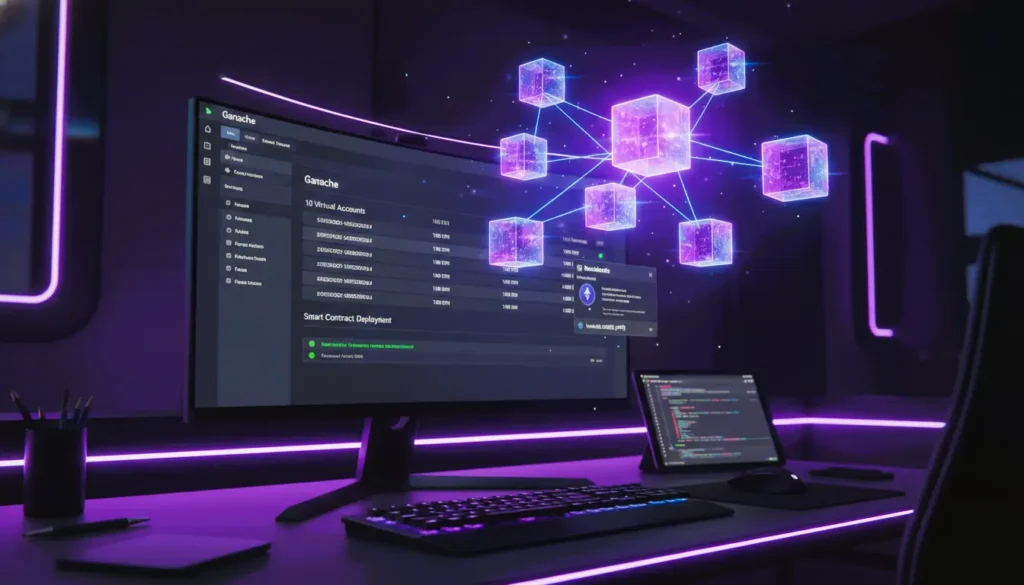
In the world of Web3 development, deploying directly to a live network (mainnet) is expensive and risky. This Ganache blockchain tutorial explores how to use Ganache—the industry-standard personal blockchain—to test smart contracts in a safe, cost-free, and lightning-fast environment.
Benefits of Ganache for Developers
- Fast Development: Instant block confirmation accelerates testing.
- Safe Environment: No risk of losing real Ether.
- Visual Debugging: A GUI allows easy inspection of balances, contracts, and transactions.
- Customizable Networks: Supports different gas prices, accounts, and chain IDs.
- Mainnet Forking: Test real-world contract interactions locally without spending money.
What is Ganache and Why Do You Need It?
Ganache is a part of the Truffle Suite (now maintained by ConsenSys) that acts as a local Ethereum simulator. It provides you with a “personal blockchain” that runs on your own machine.
Key Benefits of Ganache:
- Zero Transaction Costs: Test complex functions without spending real Ether or waiting for testnet faucets.
- Instant Finality: Unlike public networks, Ganache mines blocks instantly, allowing for rapid iteration.
- Visual Debugging: The Ganache GUI allows you to see accounts, balances, and contract states at a glance.
Setting Up Your Ganache Environment
To follow this Ganache blockchain tutorial, you have two primary options: the Graphical User Interface (GUI) or the Command Line Interface (CLI).
Which Should You Choose?
| Feature | Ganache GUI | Ganache CLI |
|---|---|---|
| Beginner-Friendly | Visual and easy | Requires terminal |
| Automation | Not ideal | Perfect for CI/CD pipelines |
| Debugging | GUI inspection | Logs only |
| Custom RPC | Supports | Supports |
| Mainnet Forking | Supported | Supported |
Explain which is better for different scenarios.
Option A: Ganache GUI (Best for Beginners)
- Download: Visit the official Truffle Suite website and download the Ganache installer for Windows, Mac, or Linux.
- Quickstart: Open the app and click “Quickstart” to instantly generate 10 virtual accounts, each pre-funded with 100 fake Ether.
- Workspace: Create a “New Workspace” and link your truffle-config.js file to track your specific project’s contracts.
Option B: Ganache-CLI (Best for Automation)
For developers who prefer terminal-based workflows or CI/CD pipelines, install the CLI version via NPM:
Bash
npm install -g ganache
ganache-cli
The CLI provides the same 10 accounts and an RPC server (usually at http://127.0.0.1:8545).
Integrating Ganache with Development Tools
A successful ganache blockchain tutorial requires connecting your sandbox to your coding tools.
Framework Integration
- Truffle: Use Ganache to deploy contracts and run migrations.
- Hardhat: Ganache can be added as a network for testing complex scripts.
- MetaMask: Connect to Ganache to interact with contracts visually.
- Ethers.js & Web3.js: Programmatically send transactions to Ganache.
Features That Speed Up Development
- Custom Accounts: Predefine account balances and private keys.
- Deterministic Blockchain: Use a mnemonic to reset your chain to the same state.
- Forking Ethereum Mainnet: Test your contracts with live data from Uniswap, Aave, or other DeFi protocols.
- Block Time Configuration: Simulate block times to test performance under different conditions.
Connecting to MetaMask
To interact with your local contracts via a browser:
- Open MetaMask and go to Settings > Networks > Add Network.
- RPC URL: http://127.0.0.1:7545 (GUI) or 8545 (CLI).
- Chain ID: 1337 (Standard for local Ganache networks).
- Import one of Ganache’s private keys to access the 100 ETH balance.
Connecting to Truffle or Hardhat
In your configuration file (truffle-config.js or hardhat.config.js), define the “development” network to match Ganache’s host and port. This allows you to run the following:
Bash
truffle migrate –network development
Ganache vs Sepolia Testnet – Detailed Comparison
| Feature | Ganache (Local Blockchain) | Sepolia (Public Ethereum Testnet) |
|---|---|---|
| Network Type | Runs locally on your machine | Public distributed test network |
| Transaction Cost | Completely free (no real gas) | A free test ETH is required from the faucet |
| Block Mining Speed | Instant block confirmation | Realistic mining delay |
| Internet Required | No | Yes |
| Network Visibility | Private (only you can access it) | Public (visible to all nodes) |
| Best For | Rapid development & debugging | Real-world deployment simulation |
| Gas Price Simulation | Manual or fixed | Fluctuates like Mainnet |
| Risk Level | Zero financial risk | No real money risk, but public interaction |
| State Persistence | Saved via Workspace | Persistent public blockchain |
| Mainnet Forking | Yes (simulate the mainnet locally) | No |
Watch Out For:
- Forgetting to connect MetaMask to the correct RPC URL.
- Using Quickstart without saving Workspace (state resets on restart).
- Not matching the chain ID and gas settings in the configuration files.
- Overlooking forked network updates when the mainnet changes.
FAQs: Ganache Blockchain Tutorial
Q: Is Ganache only for Ethereum?
A: Primarily, yes. Ganache is designed for the Ethereum Virtual Machine (EVM). It is widely used for Ethereum, Polygon, BSC, and other EVM-compatible chains.
Q: What is the difference between Ganache and a testnet (like Sepolia)?
A: Ganache is local (only on your computer) and instant. Testnets are public (distributed globally) and mimic real network conditions, including mining delays and real-world gas price fluctuations.
Q: Can I keep my Ganache data after closing the app?
A: In the GUI, if you create a Workspace, your data is saved. If you use “Quickstart” or the CLI, the blockchain state is wiped every time you restart the service.
Q: Should I use Hardhat Network instead of Ganache?
A: Hardhat has a built-in local network that is excellent for console-logging and stack traces. However, Ganache remains popular for its visual interface, which makes it easier to inspect block headers and account balances without writing scripts.
Pro-Tip for 2026 Developers:
Use Ganache’s “forking” feature to simulate the real Ethereum mainnet. By providing a Mainnet RPC URL, Ganache can “copy” the state of any live contract (like Uniswap), allowing you to test how your contract interacts with real-world protocols without spending a cent.
Tips for Efficient Testing
- Always back up Workspace data before experiments.
- Use forking sparingly to avoid syncing issues.
- Combine Ganache and Hardhat/Truffle for testing scripts and debugging.
- Simulate different gas prices to optimize your smart contracts.
- Restart Ganache regularly to avoid stale states or network inconsistencies.
Conclusion
Ganache is an essential tool for Ethereum and EVM-compatible smart contract development. By mastering its GUI, CLI, and Mainnet Forking features, developers can test, debug, and deploy secure contracts without spending real Ether. Combining Ganache with Truffle, Hardhat, or MetaMask ensures a smooth and cost-free development workflow for any Web3 project.